
A kiosk is a tablet running Production Logs for operators who have no company email of their own. It is provisioned once for a facility and then used by anyone working a line there.
Operators sign in to a kiosk with their employee ID rather than an email address, so one tablet serves everyone working that area.
Kiosks are managed under Administration. Adding the operators themselves is covered in Adding and Removing an Operator.
Words to Know
| Term | What it means |
|---|---|
| Kiosk | A shared tablet provisioned for a facility, used by operators without an individual account. |
| Provision | To create a new kiosk and pair a tablet to it. |
| Pairing code | The code scanned or typed on a tablet to complete kiosk setup. |
| Employee ID | The number that identifies an operator in your own records. |
| Facility | One plant. A facility contains many lines. |
The Kiosks Page
Open Administration and select Kiosks. Every kiosk already set up is listed here.
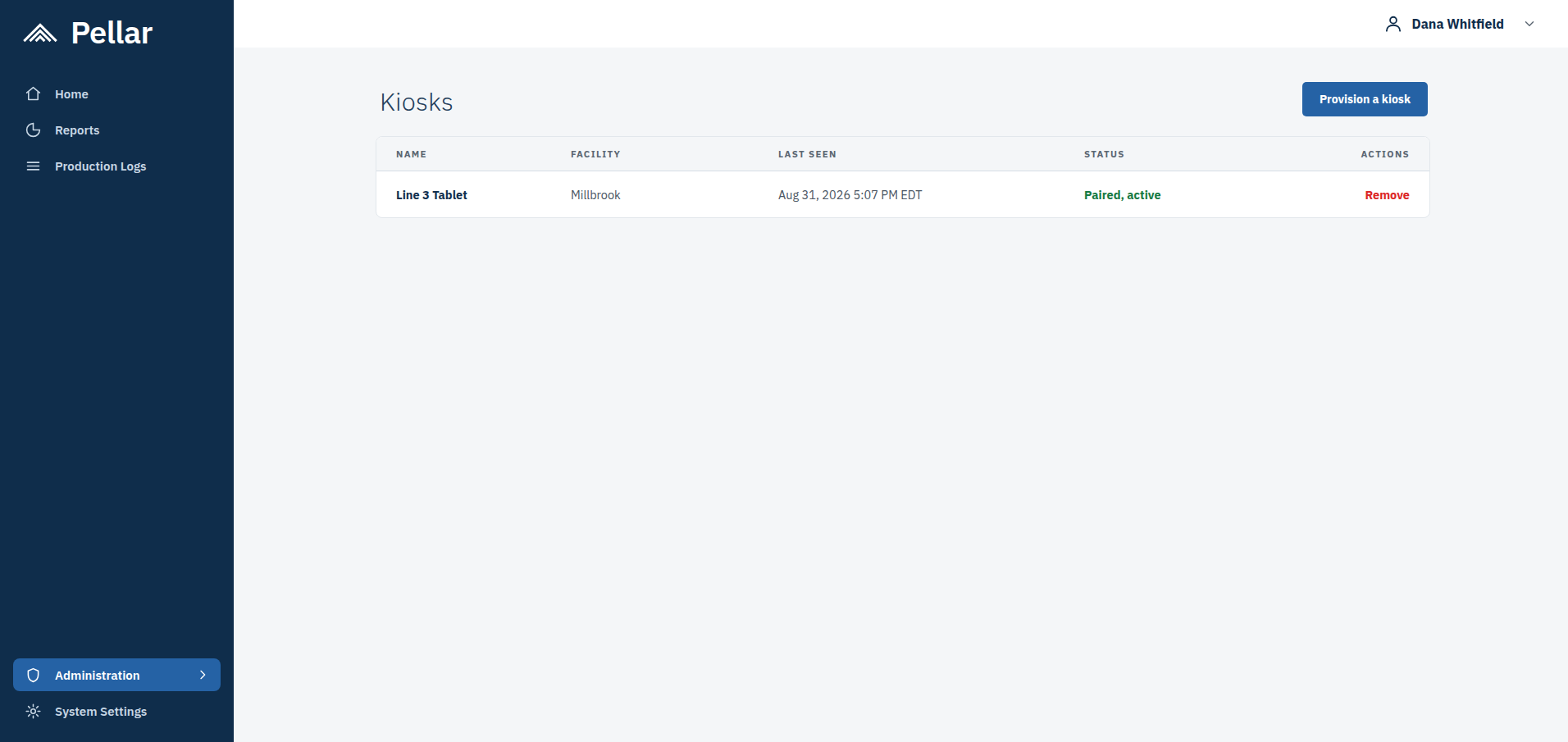
Each row shows the kiosk's name, the facility it belongs to, when the tablet was last seen, and its current status. A paired tablet that is in use reads Paired, active.
Provisioning a Kiosk
Select Provision a kiosk at the top right of the Kiosks page.
Give the kiosk a name that identifies where the tablet sits, so it is recognizable in the list later, and choose the facility it belongs to.
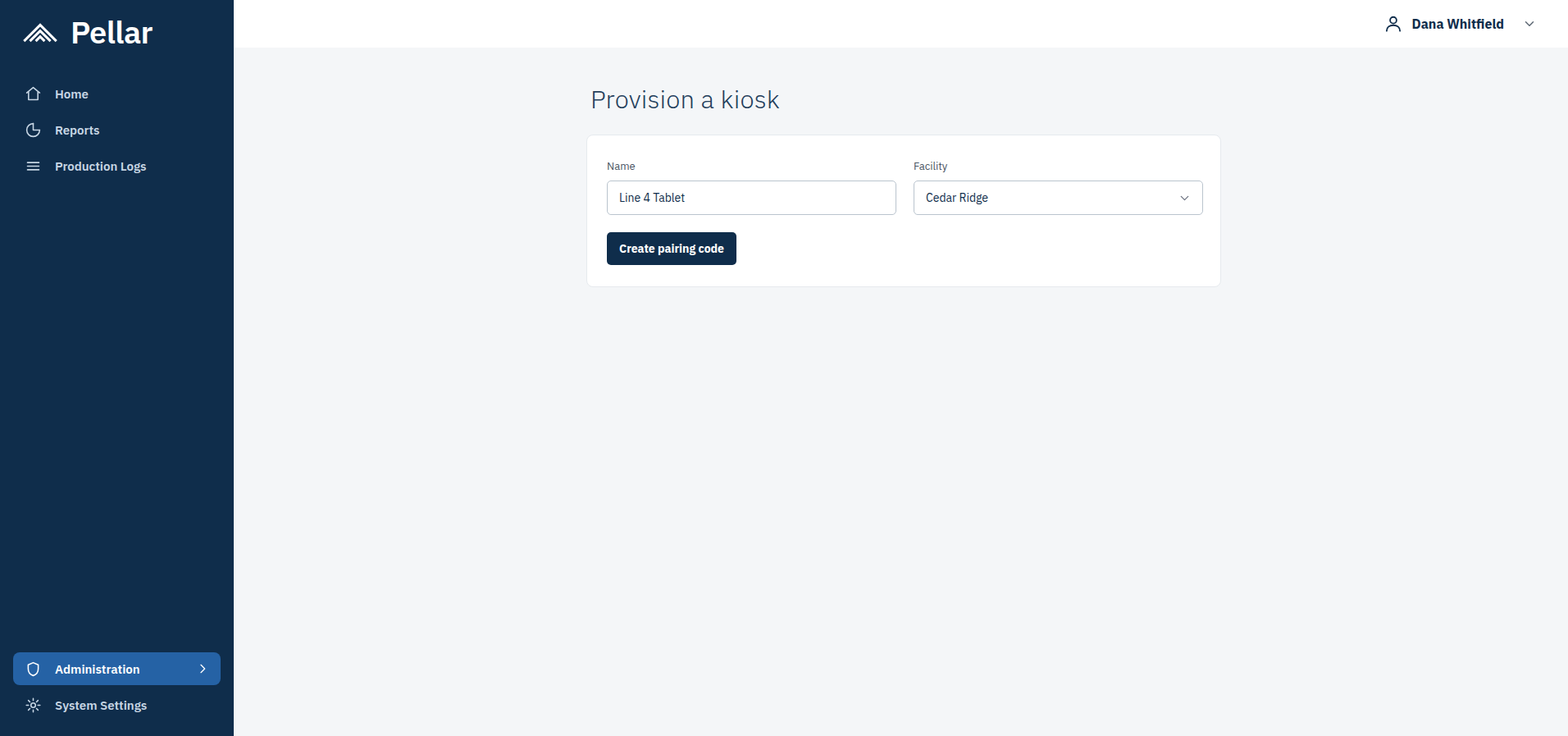
Select Create pairing code.
Pairing the Tablet
The Kiosk ready screen appears, with a pairing code and a QR code.
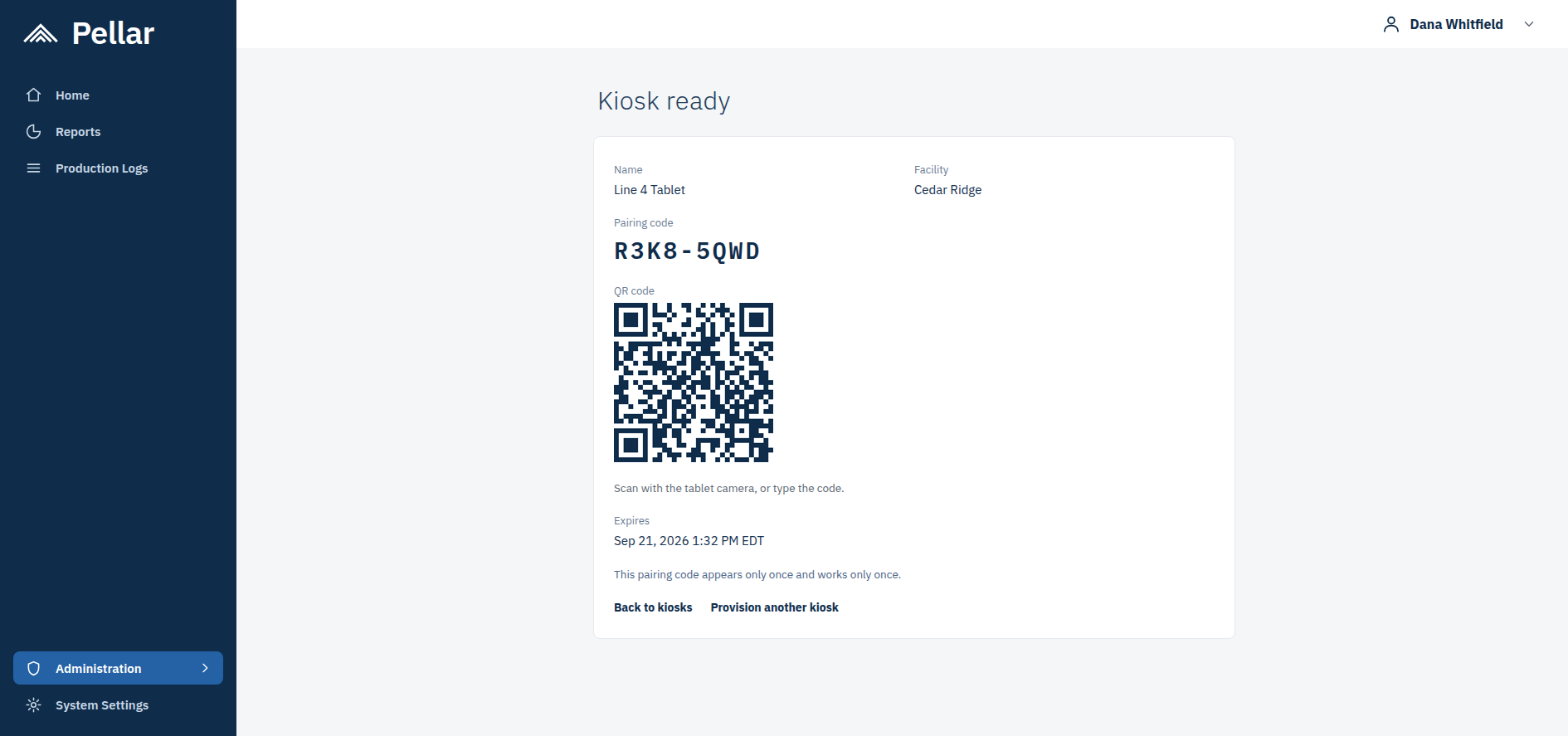
On the tablet, open the camera and scan the QR code. You can also type the pairing code in by hand if scanning is not practical.
TWO THINGS TO KNOW ABOUT THE CODE
- It expires. The screen shows the expiry time. If the tablet is not paired before then, provision the kiosk again to get a new code.
- It appears only once, and works only once. Once you leave this screen the code cannot be shown again, so pair the tablet while the screen is still open.
Removing a Kiosk
Find the kiosk in the list and select Remove. The tablet no longer has access from that point.
A replacement tablet is set up by provisioning a new kiosk. An old pairing code cannot be reused, because each one works only once.
Where to Go Next
- Adding and Removing an Operator — adding the people who will use the kiosk, and the difference between an operator account and a kiosk.
- Basics of Running a Production Log Session — what an operator does on the line during a shift.
- What Are Production Logs? — what Production Logs are, what the sensors measure, and what the colors mean.